


Sharing process descriptions is an important feature for organisations with multiple accounts under a main account. For example, a corporation can distribute essential process descriptions across all accounts. In Cyberday, the main account can choose which sub-accounts receive these descriptions. Sub-accounts can then supplement the main account's descriptions in a separate section.
Activating corporation-level process descriptions
To enable the sharing of process descriptions, please contact us to activate the feature for your main account via team@cyberday.ai or chat. Activation is required only once.
Sharing process descriptions from the main account and sub-accounts
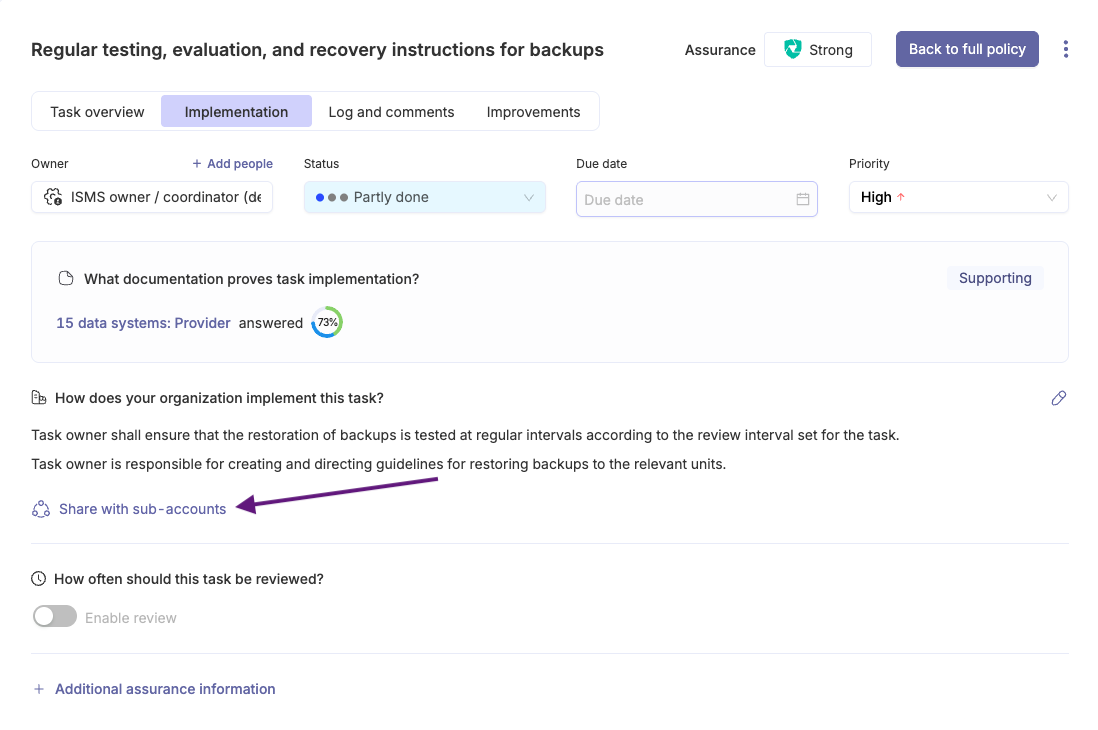
- Make sure a process description exists
- Click "Share with sub-accounts"
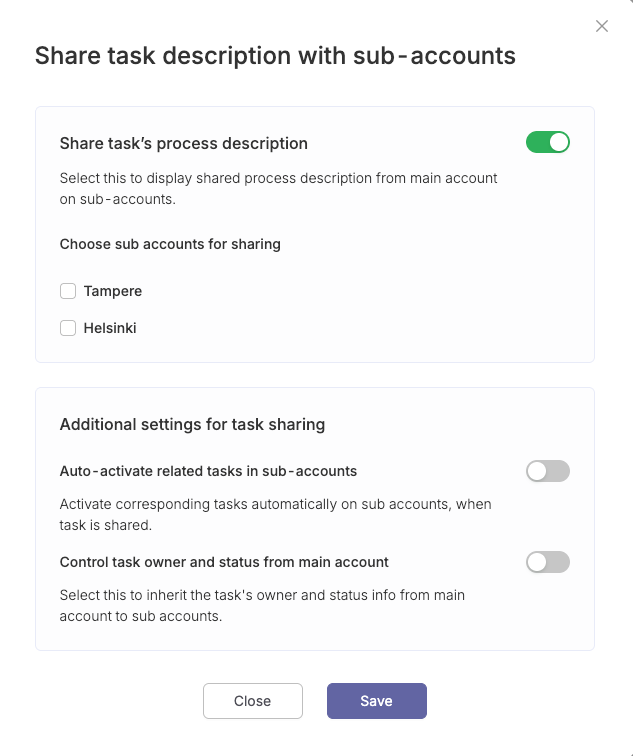
- Click the "Share task’s process description" slider
- Select the specific sub-accounts with which the task will be shared
- Define the additional sharing settings
- Click "Save"
Viewing process descriptions from a sub-account
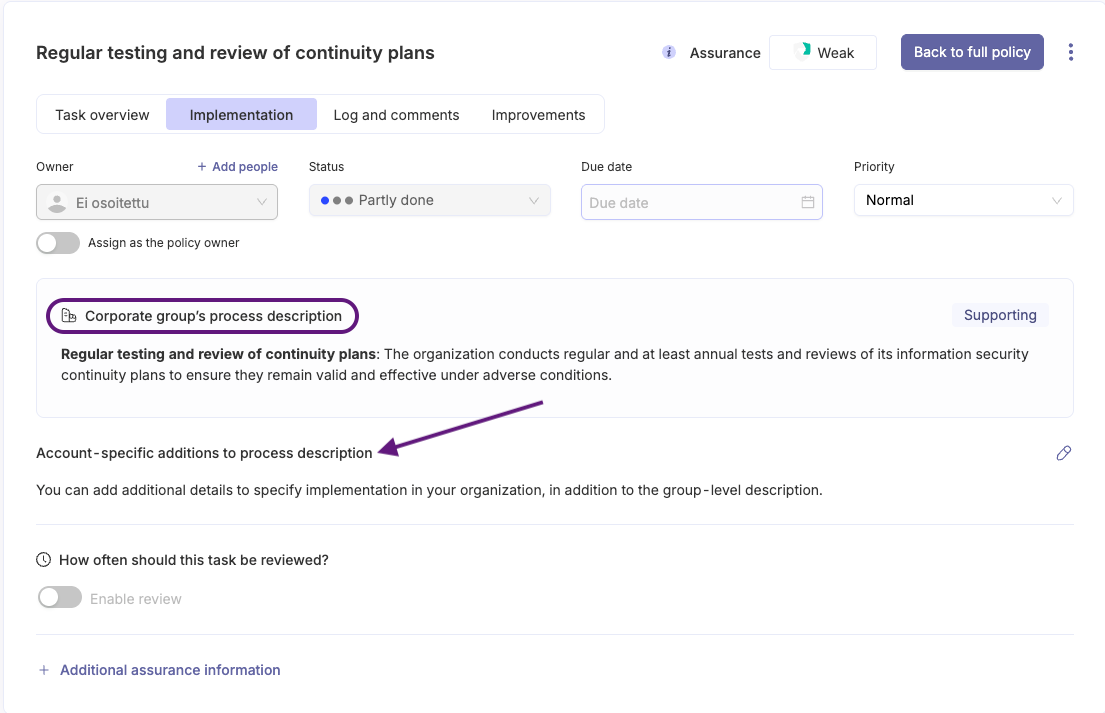
Process descriptions created at the corporate level are visible in sub-accounts. These descriptions are marked as shared from the corporate group's main account.
In the task card of the sub-account, you will also find an item titled "Account- specific additions to process description". This section allows for additions to the corporate-level description, which is useful if practices differ between sub-accounts.
Disabling process descriptions
The sharing of process descriptions can be disabled by going through the same process, but disabling the previously toggled settings.
Questions and feedback
Do you have any further questions, would need another help article or would like to give some feedback? Please contact our team via team@cyberday.ai or the chat box in the right lower corner.


