


What are workflows?
Workflows are an organised, straightforward way of working on and maintaining topics important to your compliance. There are two categories of workflows: Basic workflows and advanced workflows, where the basic workflows are simpler topics to get started with, and are the recommended starting point in setting up the compliance journey.
Workflows are not just a one-time setup flow, but a feature that needs ongoing attention. These are the places where you not only improve your compliance, but maintain it for years to come.
Basic workflows contain flows for Asset inventory, Employee awareness, Risk management, Incident management and Supplier management. Basic workflows also contain some workflows that are framework-specific, which are only visible when you have the corresponding framework active, which include: Privacy management (for GDPR), Quality management (ISO 9001), Environmental management (ISO 14001), AI governance (EU AI act, ISO 42001) and Information Management Model (for the Finnish Tiedonhallintamalli).
Advanced workflows cover more advanced topics that are more relevant once you are already well on your way in the compliance journey. Advanced workflows contain Internal audits, Improvement management, Management reviews, Continuity planning and Change management.
Getting started with workflows
All workflows can be found on the main dashboard page. To get started with any workflow, click the 'start setup' button on the workflow card on the main dashboard, which will begin the setup flow of the workflow.
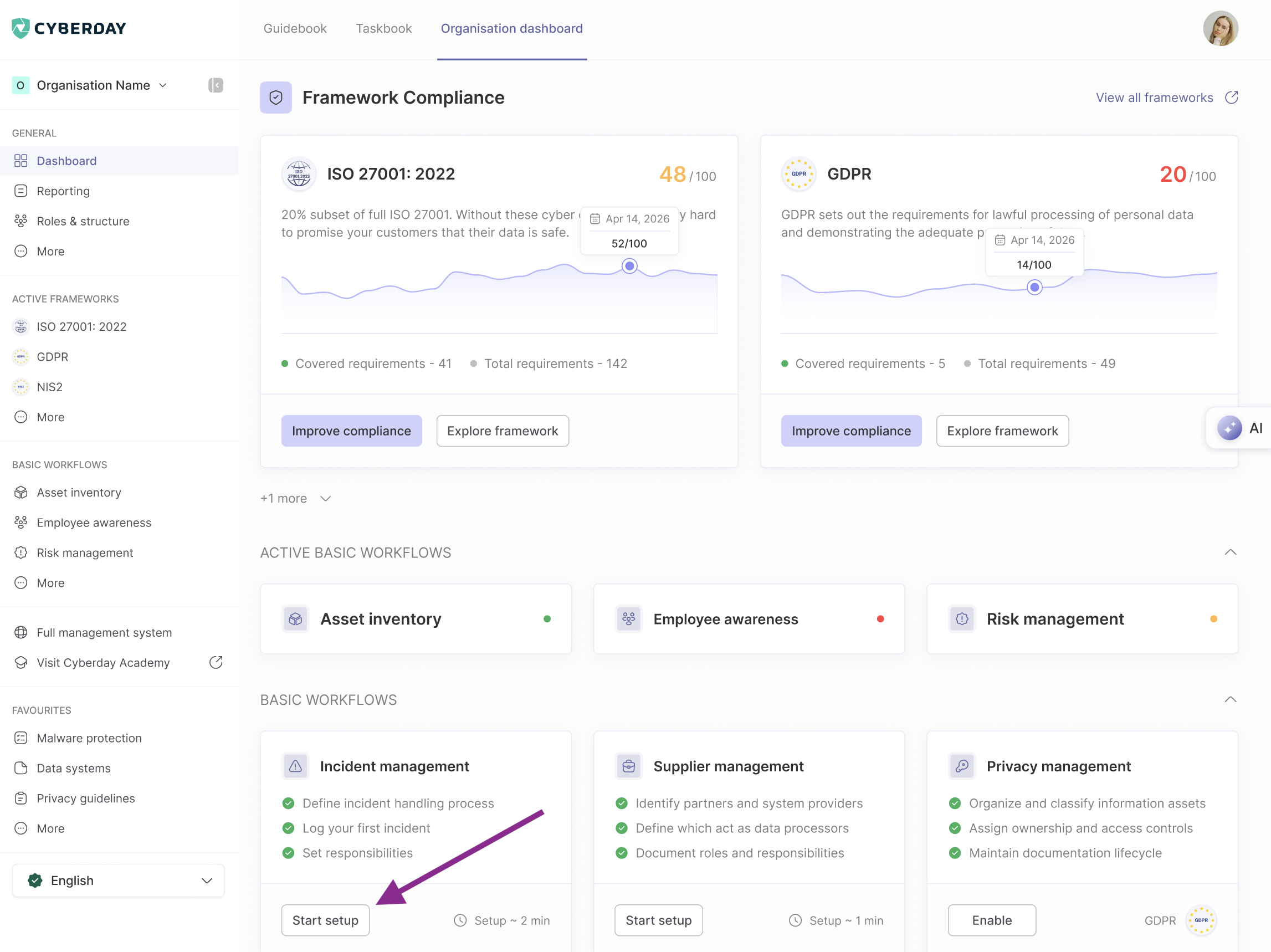
Each workflow has a unique setup flow that allows you to get started with the workflow in minutes with smart suggestions and configurations important to that topic area. Note that for some of the workflow setup to work properly, you need to have your ISMS profile filled out, so that the setup can provide smart suggestions.
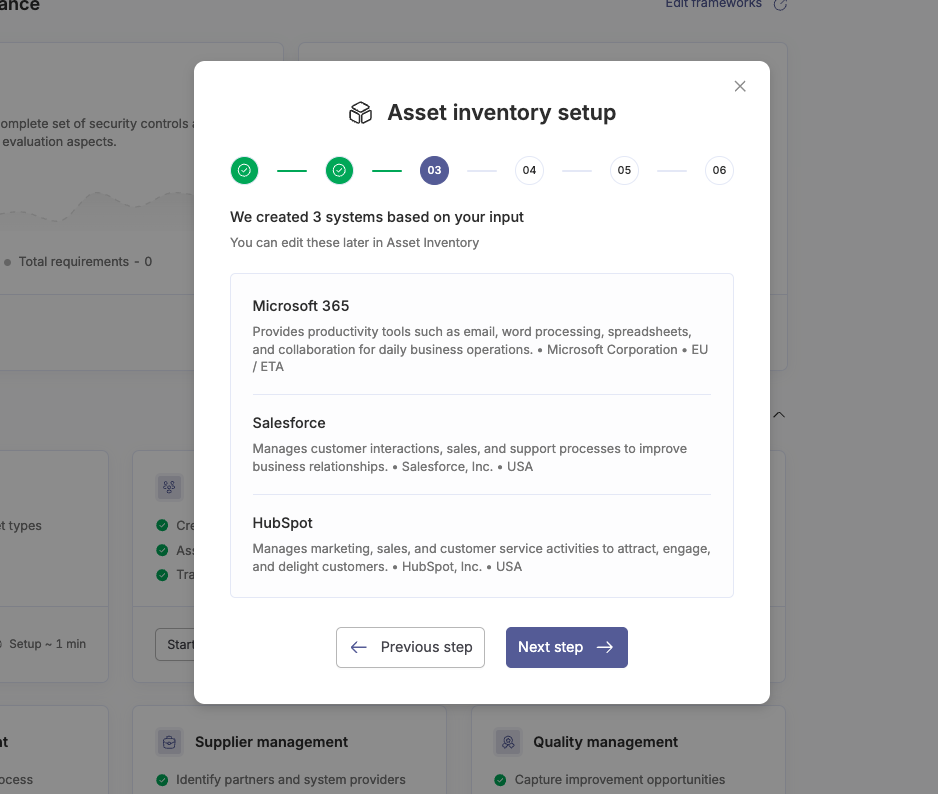
For example, the Asset inventory setup flow lets you describe your main systems as well as asking you various questions about data you store and use, and creates data systems and data sets based on your answers.
Workflows in action
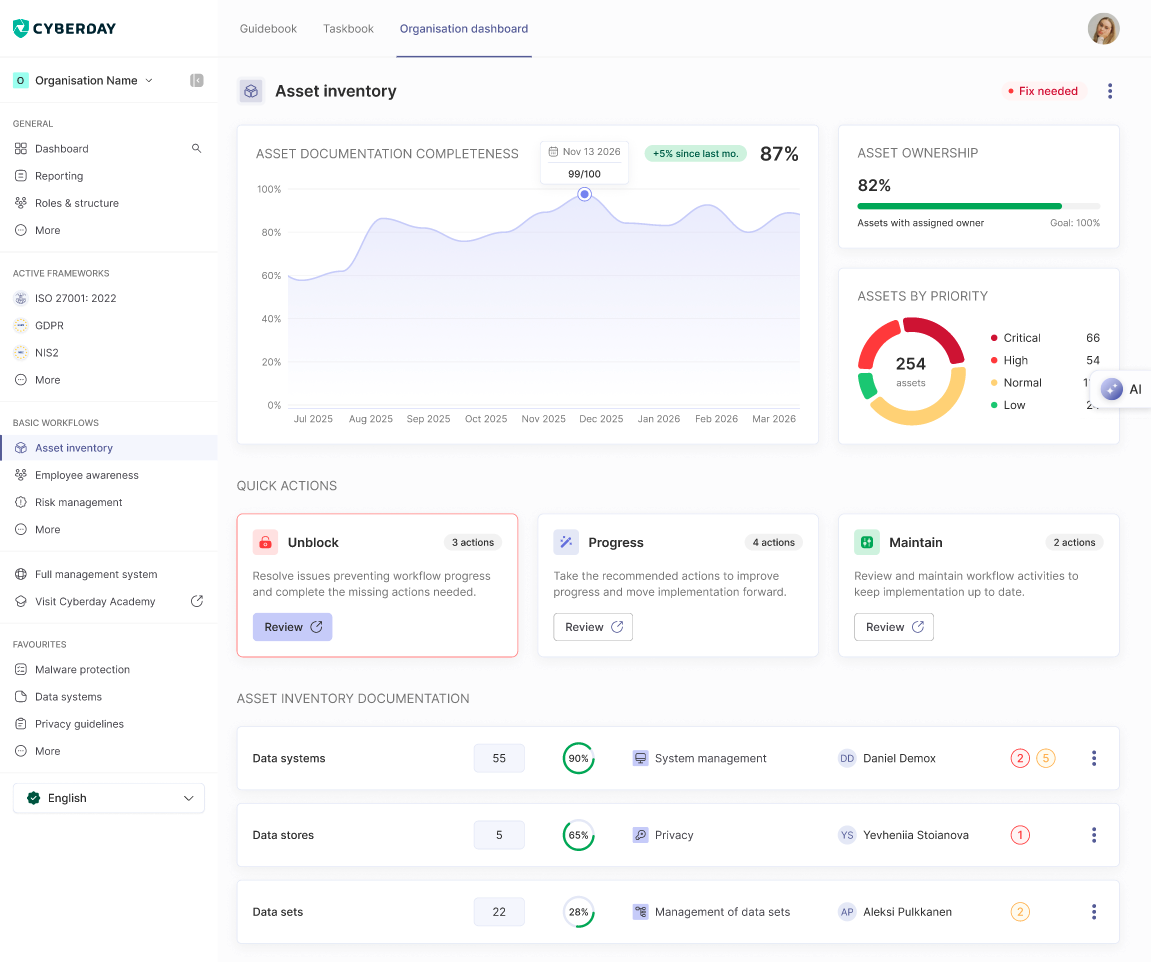
Once you have set up the workflow, you can access the main view of that workflow. Fundamentally all workflow pages are constructed similarly, to ensure ease of use across all workflows. Workflow pages are constructed into the following sections:
- At the top of the page, a section containing metrics that help you track the progress towards the workflow
- A row of cards for Quick actions, that allow you to quickly identify: issues that need to be unblocked, recommended next actions to progress the workflow, and important items in the workflow to maintain.
- All of the important linked items are below these, including tasks, documentation items and reports that are important to the workflow
Workflows and the compliance view
While the workflows aim to cover continuous compliance topics, there are still other areas of compliance that workflows do not reach due to their ongoing nature. This is where the compliance view comes in. The compliance view gives you an overview of all items relating to the compliance of the framework, meaning this is where you can drill down into the specific work items of the requirements that you are still missing. Read more about the compliance view.
Questions and feedback
Do you have any further questions, would need another help article or would like to give some feedback? Please contact our team via team@cyberday.ai or the chat box in the right lower corner.


