


Risk management is the workflow for identifying, assessing, treating, and reviewing the information-security risks facing your organisation. The whole risk lifecycle lives on one page — register, documentation, related tasks, and the reports auditors will ask for.
🆕 What's new: The Risk management workflow brings together what used to be spread across themed lists. Your existing risks, owners, and treatments are all here, exactly as they were — just on one focused page.
Setting it up
If you haven't run the guided setup yet, do that first. It's a short flow that takes you through:
- Who owns the risk register? Typically your CISO, Information Security Manager, or ISMS coordinator. The owner is responsible for keeping the register current and reviewing it on schedule.
- Your risk assessment methodology. Confirm the likelihood × impact scales and the treatment options that fit your organisation.
- An AI-proposed initial register. Cyberday's AI suggests a starter list of risks based on your assets and active frameworks. You review, pick the top risks to treat, and assign owners.
You can also configure the workflow manually on the page — the guided version just gets you to a working state in minutes.
What's on the page
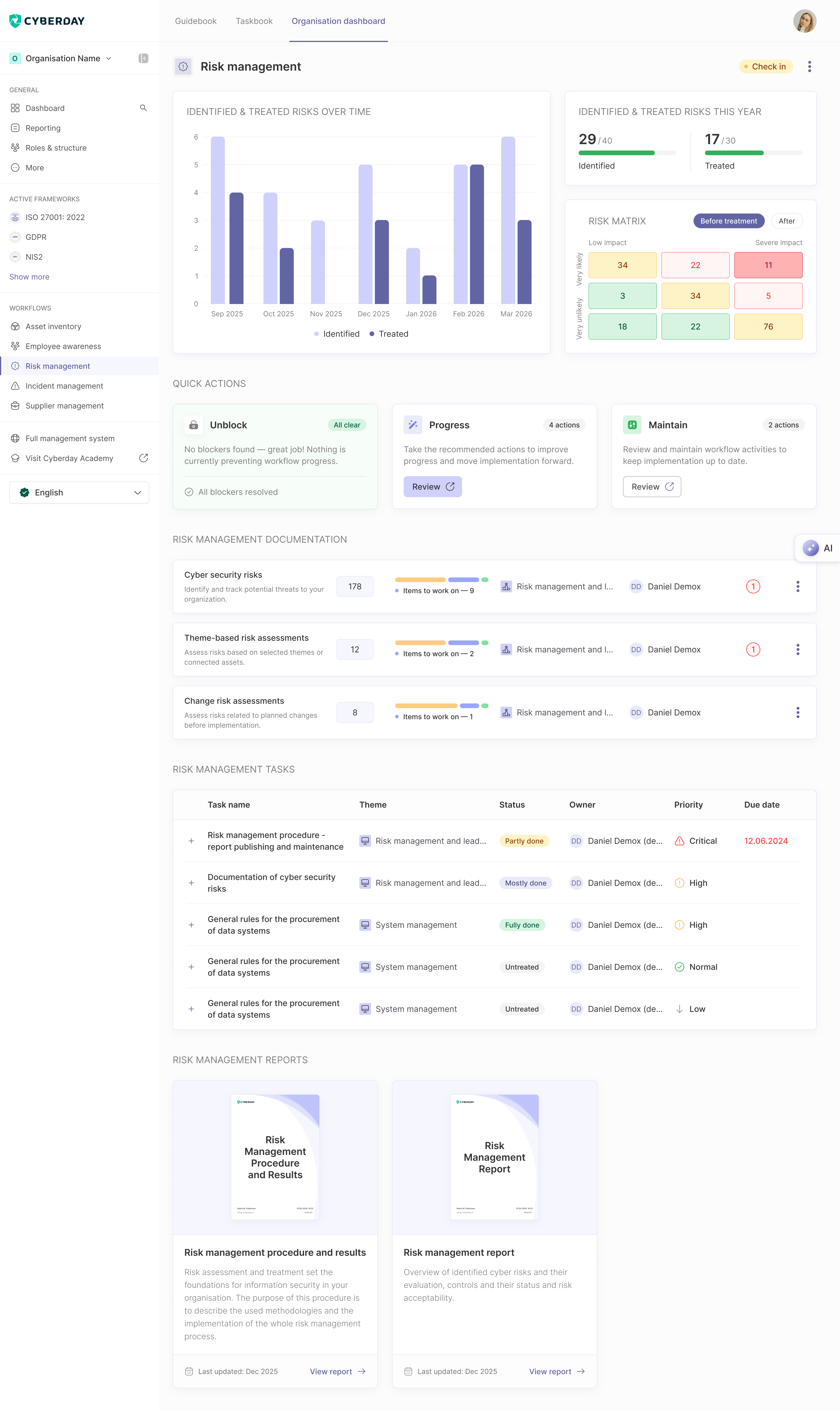
Main metrics
The header carries three views of how your risk register is doing:
- Identified & treated risks over time — a monthly trend chart showing how new identifications and treatments are tracking
- This year, against your goals — e.g. 29 / 40 identified, 17 / 30 treated
- Risk matrix — a likelihood × impact grid with cell counts, with a Before treatment / After toggle
Actions to focus on
A prioritised list of what to handle next, grouped into three buckets:
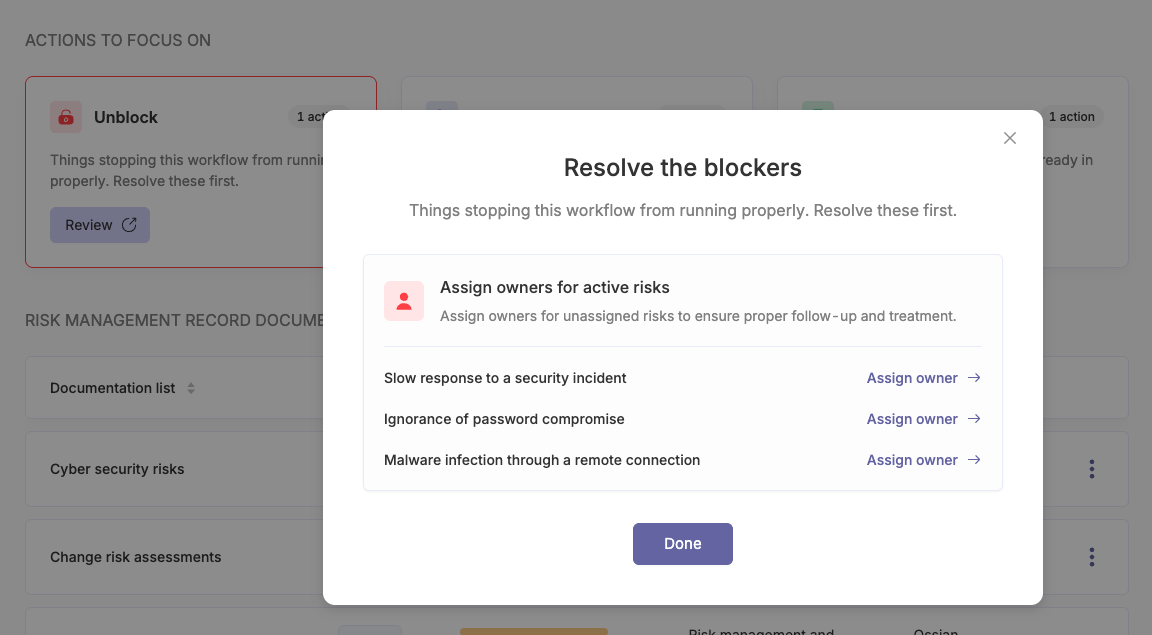
- Unblock — issues stopping the workflow from running properly. For Risk management this typically includes Identify first risks (when no risk has passed the 'new' status yet) and Assign owner to active risks.
- Progress — recommended next moves to strengthen the workflow. Items like Review risk treatment for risks in treatment (when you're treating fewer risks than your metric goal), Queue next risks to treatment from evaluation, and Identify more risks (when identifications are below your metric goal).
- Maintain — scheduled reviews and check-ins on what's already in place. For Risk management, that's primarily Review closed risks.
Clicking into a bucket opens a focused list — you can resolve, refine, or check off each item without leaving the workflow page.
Documentation
The documentation that backs your risk practice:
- Cyber security risks — identify and track potential threats to your organisation
- Theme-based risk assessments — assess risks based on selected themes or connected assets
- Change risk assessments — assess risks related to planned changes before implementation
Each documentation row shows the total item count, items still to work on, the related ISMS theme, and the responsible owner — so you can see at a glance where attention is needed.
Tasks
Below the documentation, the workflow page lists the concrete tasks that operationalise risk management — for example, risk management procedure publishing & maintenance, documentation of cyber security risks, general rules for the procurement of data systems. Each task shows its theme, status (Untreated / Partly done / Mostly done / Fully done), owner, priority (Low / Normal / High / Critical), and due date. Overdue tasks are highlighted so you know where to act first.
Reports
The audit-ready outputs Risk management produces:
- Risk management procedure and results — the methodologies used and the implementation of your whole risk management process
- Risk management report — an overview of identified cyber risks, their evaluation, controls, status, and risk acceptability
Each report card shows a cover preview, the Last updated date, and a View report link. Reports refresh from your live data, so they're always current.
How it connects to other workflows
New risks often originate from Asset inventory (asset-related risk), Incident management (post-incident risk), Supplier management (third-party risk), and Change management (change-introduced risk). Treatment plans surface as tasks linked back to those workflows.
Questions and feedback
Do you have any further questions, would need another help article or would like to give some feedback? Please contact our team via team@cyberday.ai or the chat box in the right lower corner.


