


Employee awareness is the workflow for running your ongoing security awareness programme — guidelines distributed to staff, acceptance tracked, training assigned, and completion reported. Fast to set up, with immediate visible output: employees getting the guidelines they need.
🆕 What's new: The Employee awareness workflow brings together what used to be spread across themed lists. Your existing guidelines, employee assignments, and acceptance records are all here, exactly as they were — just on one focused page.
Setting it up
If you haven't run the guided setup yet, do that first. It's a short flow that takes you through:
- Who leads the awareness programme? Typically your CISO, HR partner, or designated awareness lead. The lead is responsible for keeping content current and reviewing acceptance over time.
- The starter guideline set. Cyberday's AI proposes an initial set of guidelines based on your active frameworks. You review what applies and confirm.
- Distribution channel. Pick how guidelines reach employees — email, an integration with your messaging tool, or both.
- Your employee list. Confirm who's in scope, then send the first batch.
You can also configure the workflow manually on the page — the guided version just gets you to a working state in minutes.
What's on the page
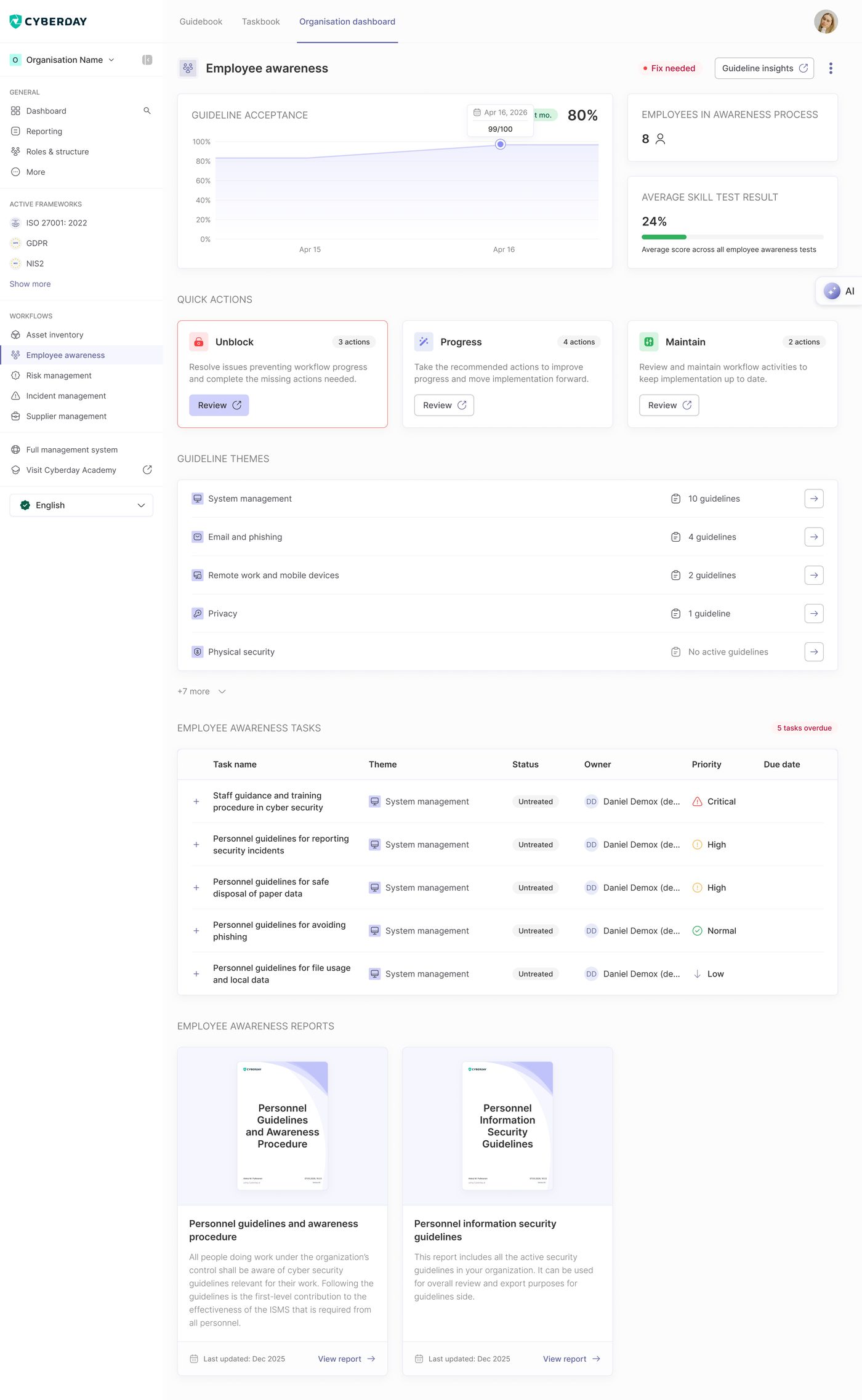
Main metrics
The header carries three views of how your awareness programme is doing:
- Guideline acceptance (%) — the share of employees who've accepted the active guidelines
- Employee amount in awareness process — how many people the programme covers
- Average skill test result — aggregate score across the awareness checks
Actions to focus on
A prioritised list of what to handle next, grouped into three buckets:
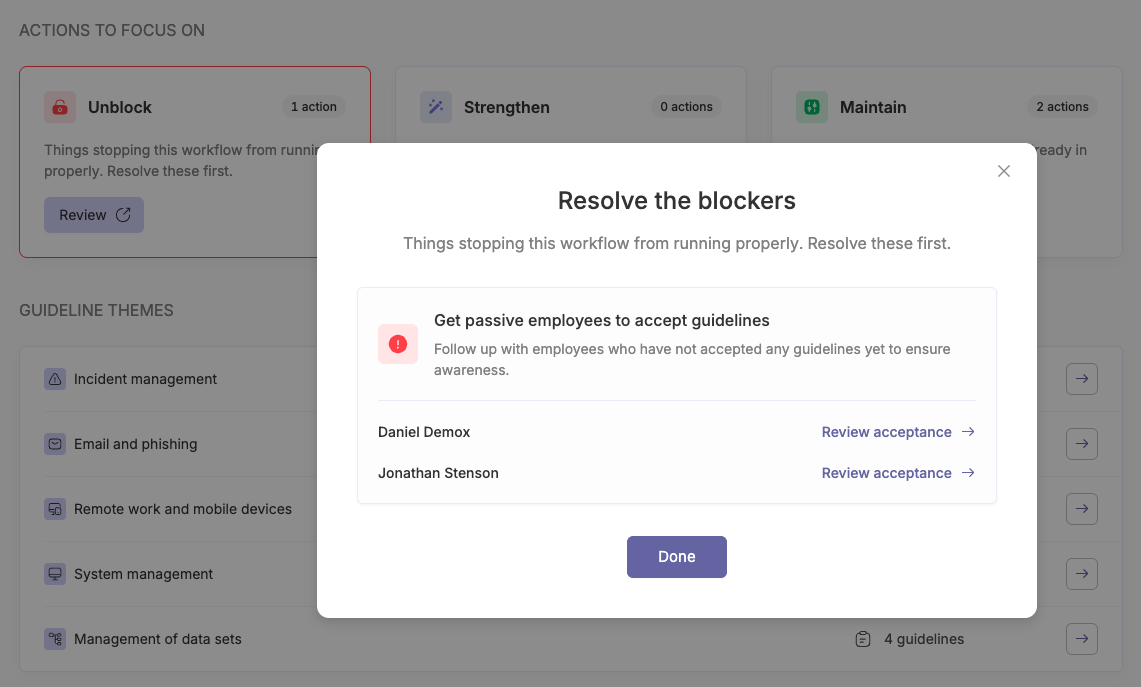
- Unblock — issues stopping the workflow from running properly. For Employee awareness: Add first guidelines (when the set is empty) and People with 0 points on guideline acceptance.
- Strengthen — recommended next moves to make this workflow more robust. Items like Add more employees (when fewer than 10 are in scope), Add more guidelines (when the set is small), and Consider unit-specific guidance (when no guidelines are connected to specific units).
- Maintain — scheduled reviews and check-ins on what's already in place. Send reminders to non-responders and Review guideline comments.
Clicking into a bucket opens a focused list — you can resolve, refine, or check off each item without leaving the workflow page.
Guidance themes
Guidelines are organised by theme, not as a single flat list. Each theme shows how many active guidelines it contains. Most important guidance themes include:
- System management
- Email and phishing
- Remote work and mobile devices
- Privacy
- Physical security
Listing will also expand to cover additional themes activated by your framework scope.
Tasks
Below the documentation, the workflow page lists the operational tasks tied to awareness — guideline publishing and maintenance, training assignments, content review schedules. Each task shows its theme, status (Untreated / Partly done / Mostly done / Fully done), owner, priority (Low / Normal / High / Critical), and due date. Overdue tasks are highlighted so you know where to act first.
Reports
The audit-ready outputs Employee awareness produces:
- Personnel guidelines and awareness procedure — describes how the organisation distributes and maintains employee guidelines
- Personnel information security guidelines — the consolidated set of active guidelines, ready to share or export
Reports refresh from your live data, so they're always current.
How it connects to other workflows
Comments and feedback on guidelines surface in Continuous improvement as suggestions to refine the content. Phishing simulations and reported employee incidents feed into Incident management. The People with 0 points signal reflects coverage from your HR and unit data.
Questions and feedback
Do you have any further questions, would need another help article or would like to give some feedback? Please contact our team via team@cyberday.ai or the chat box in the right lower corner.


