


Change management is the workflow for governing significant changes to the ISMS and to in-scope systems — proposed change, risk assessment, approval, and post-change review. Connects directly with risk management and incident management.
🆕 What's new: The Change management workflow brings together what used to be spread across themed lists. Your existing changes, approvals, and post-change reviews are all here, exactly as they were — just on one focused page.
Setting it up
Change management is an Advanced workflow — there's no separate guided setup. The workflow is available directly; configuration (change lead, what counts as a significant change, approvers) happens inline on the page when relevant. Most organisations land here when a significant change is first being proposed or after an audit has flagged that change governance needs strengthening.
What's on the page
Main metrics
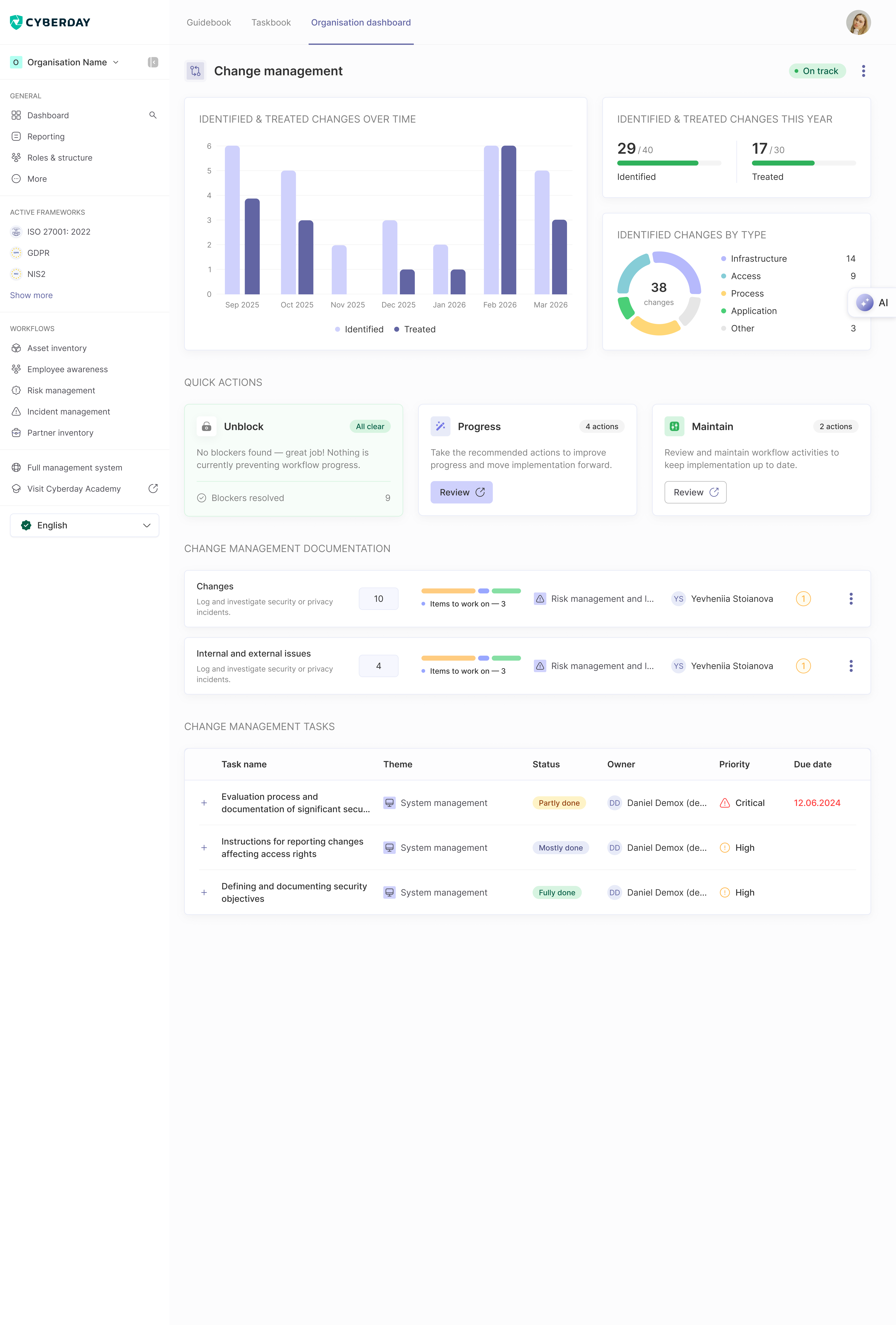
The header carries three views of how your change-management practice is doing:
- Identified & treated changes over time — a monthly trend chart
- This year, against your goals — e.g. 29 / 40 identified, 17 / 30 treated
- Identified changes by type — a donut showing total change count with slices for Infrastructure / Access / Process / Application / Other
Actions to focus on
A prioritised list of what to handle next, grouped into three buckets:
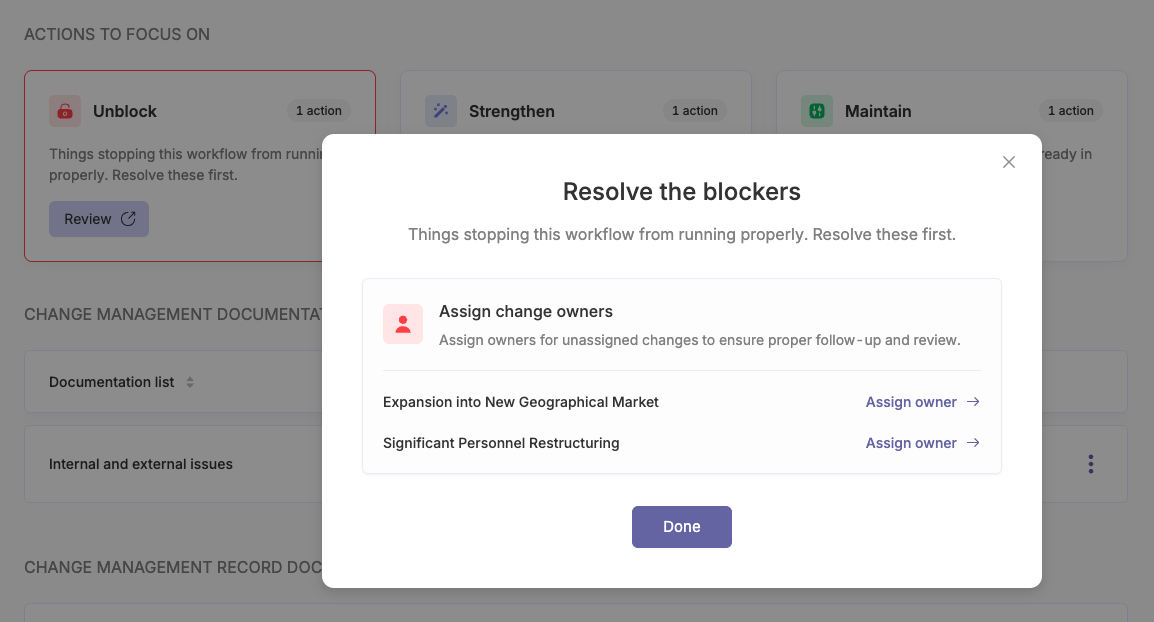
- Unblock — issues stopping the workflow from running properly. For Change management: Identify first change and Changes without an owner.
- Strengthen — recommended next moves to make this workflow more robust. Items like Review active changes and Identify more changes (when below metric).
- Maintain — scheduled reviews and check-ins on what's already in place. Review closed changes.
Clicking into a bucket opens a focused list — you can resolve, refine, or check off each item without leaving the workflow page.
Documentation
The documentation that backs your change-management practice:
- Changes — log and investigate proposed and completed changes
- Internal and external issues — log and investigate issues that drive change demand
Each documentation row shows the total item count, items still to work on, the related ISMS theme, and the responsible owner.
Tasks
Below the documentation, the workflow page lists the operational tasks — for example, evaluation process and documentation of significant security changes, instructions for reporting changes affecting access rights, and defining and documenting security objectives. Each task shows its theme, status (Untreated / Partly done / Mostly done / Fully done), owner, priority (Low / Normal / High / Critical), and due date.
Reports
The audit-ready outputs Change management produces:
- Change log / register — the full record of changes raised, assessed, approved, executed, and reviewed in the period
- Per-change record — for each significant change: scope, risk assessment, approver, evidence, and post-change review outcome
Reports refresh from your live data, so they're always current.
How it connects to other workflows
Each significant change should generate a linked risk assessment in Risk management and may surface new incidents in Incident management post-change. Changes touching critical systems often require a continuity plan update in Continuity planning.
Questions and feedback
Do you have any further questions, would need another help article or would like to give some feedback? Please contact our team via team@cyberday.ai or the chat box in the right lower corner.


