


Internal audits is the workflow for planning and conducting the internal audits that ISO 27001 (and other frameworks) require — scope, schedule, conduct, report findings, track each to closure. Without this workflow operating, certification is effectively impossible.
🆕 What's new: The Internal audits workflow brings together what used to be spread across themed lists. Your existing audits, findings, and non-conformities are all here, exactly as they were — just on one focused page.
Setting it up
Internal audits is an Advanced workflow — there's no separate guided setup. The workflow is available directly, with any configuration (owner, scope, cadence) handled inline on the page when relevant. In practice, you usually arrive here after another workflow has flagged something — an upstream finding, a management review action, or a certification milestone approaching — so the workflow earns its setup at the moment it's needed.
What's on the page
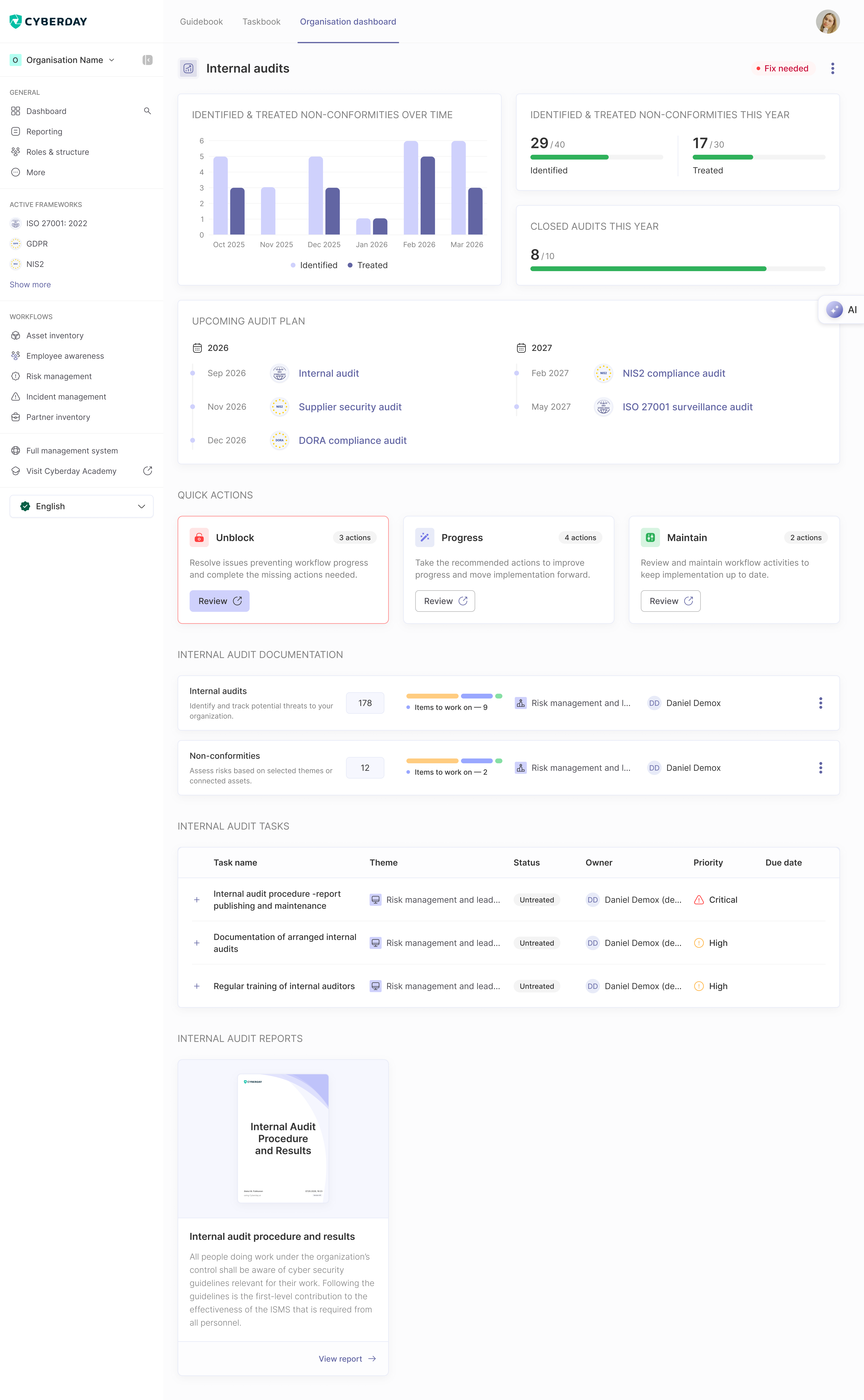
Main metrics
The header carries four views of how your audit programme is doing:
- Identified & treated non-conformities over time — a monthly trend chart
- This year, against your goals — e.g. 29 / 40 identified, 17 / 30 treated
- Closed audits this year — against an annual goal (e.g. 8 / 10)
- Upcoming audit plan — a two-year programme list (e.g. 2026: internal audit, supplier security audit, DORA compliance audit; 2027: NIS2 compliance audit, ISO 27001 surveillance audit)
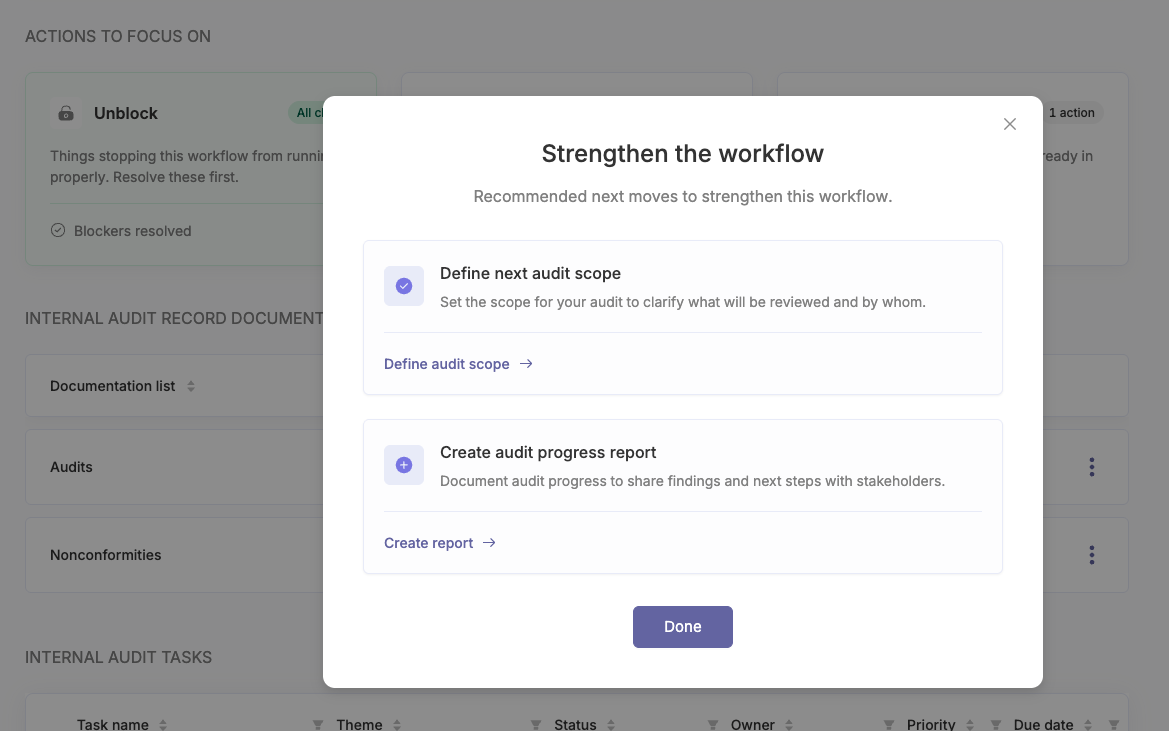
Actions to focus on
A prioritised list of what to handle next, grouped into three buckets:
- Unblock — issues stopping the workflow from running properly. For Internal audits: Document your first internal audit and Review open non-conformities (levels 2 & 3 — not "other observations").
- Strengthen — recommended next moves to make this workflow more robust. Items like Add next audit (when no open audits exist), Define audit scope (when an audit exists but no scope), and Create audit progress report (when an audit exists without one).
- Maintain — scheduled reviews and check-ins on what's already in place. Review audit efficiency.
Clicking into a bucket opens a focused list — you can resolve, refine, or check off each item without leaving the workflow page.
Documentation
The documentation that backs your internal audit practice:
- Internal audits — identify and track audit findings across the organisation
- Non-conformities — track non-conformities raised by audits, with severity and closure status
Each documentation row shows the total item count, items still to work on, the related ISMS theme, and the responsible owner.
Tasks
Below the documentation, the workflow page lists the operational tasks — for example, internal audit procedure publishing and maintenance, documentation of arranged internal audits, and regular training of internal auditors. Each task shows its theme, status (Untreated / Partly done / Mostly done / Fully done), owner, priority (Low / Normal / High / Critical), and due date.
Reports
The audit-ready output Internal audits produces:
- Internal audit procedure and results — describes how the organisation plans and conducts internal audits, with the results of audits in the reporting period
Reports refresh from your live data, so they're always current.
How it connects to other workflows
Audit findings flow directly into Continuous improvement. Audit programme planning is a standard input to Management reviews. Findings that touch specific assets, risks, or suppliers surface in those workflows too.
Questions and feedback
Do you have any further questions, would need another help article or would like to give some feedback? Please contact our team via team@cyberday.ai or the chat box in the right lower corner.


